Newsletter Subscribe
Enter your email address below and subscribe to our newsletter

HVAC made simple
By Jake Lawson — The HVAC Specialist
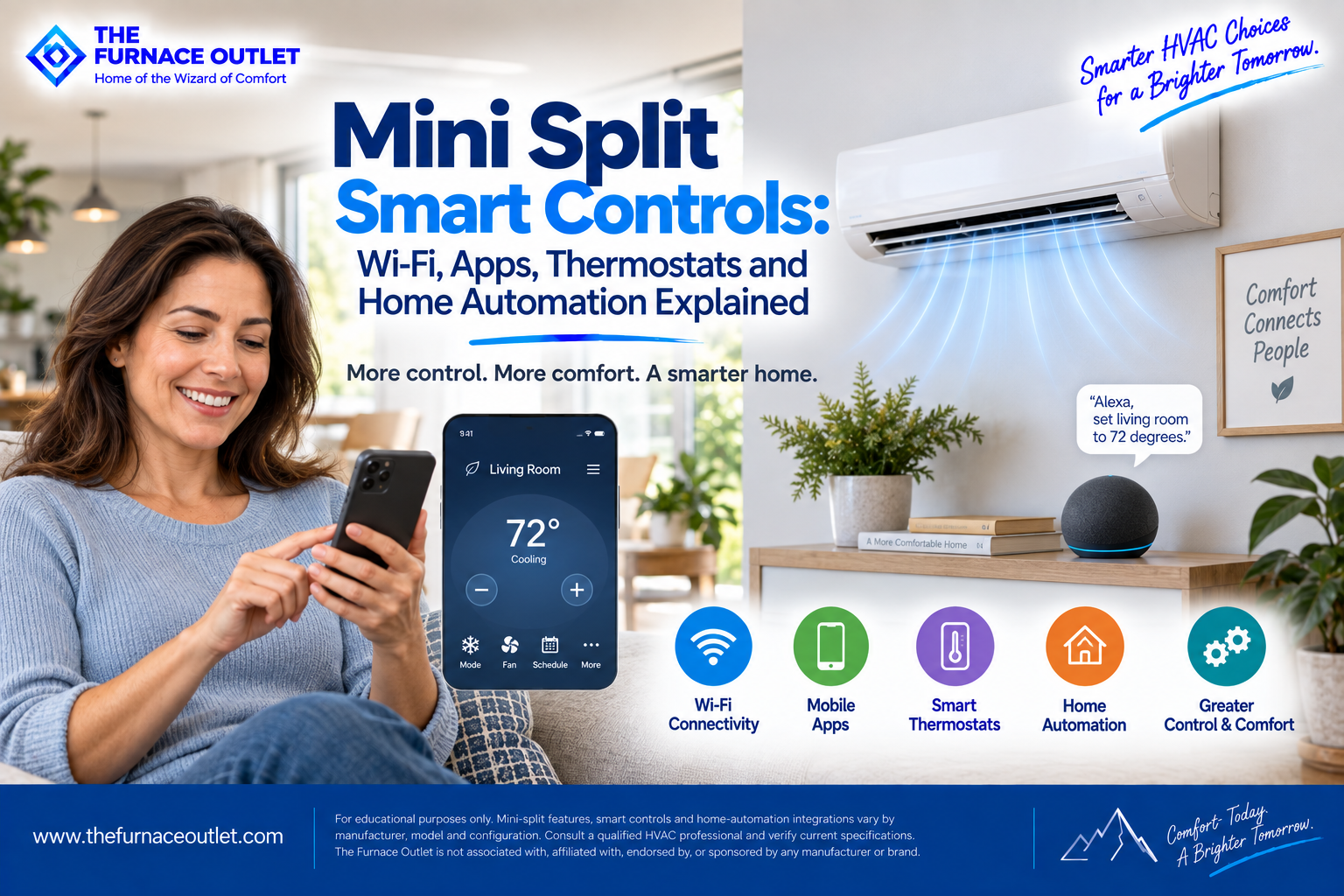
Mini splits have changed considerably from the simple ductless air conditioners many homeowners remember. Today, depending on the equipment, you may be able to adjust temperature from your phone, create schedules, monitor several indoor units from one app, use voice commands, build smart-home routines or even control the system while you are hundreds of miles away.
That convenience can be genuinely useful. But there is one mistake I see homeowners make when shopping for smart controls: they assume that anything called a “smart thermostat,” “Wi-Fi controller” or “home automation compatible” will work with any mini split.
It usually is not that simple. Mini splits frequently use sophisticated communicating controls that do much more than send a basic heating or cooling command. The indoor unit, outdoor unit and controller may exchange information about operating mode, fan speed, temperature and compressor operation. Installing an incompatible third-party thermostat can potentially change which functions are available.
So before choosing the smartest-looking thermostat on the wall, I would start with a more important question: How does this particular mini split expect to be controlled?
That answer should guide everything else.
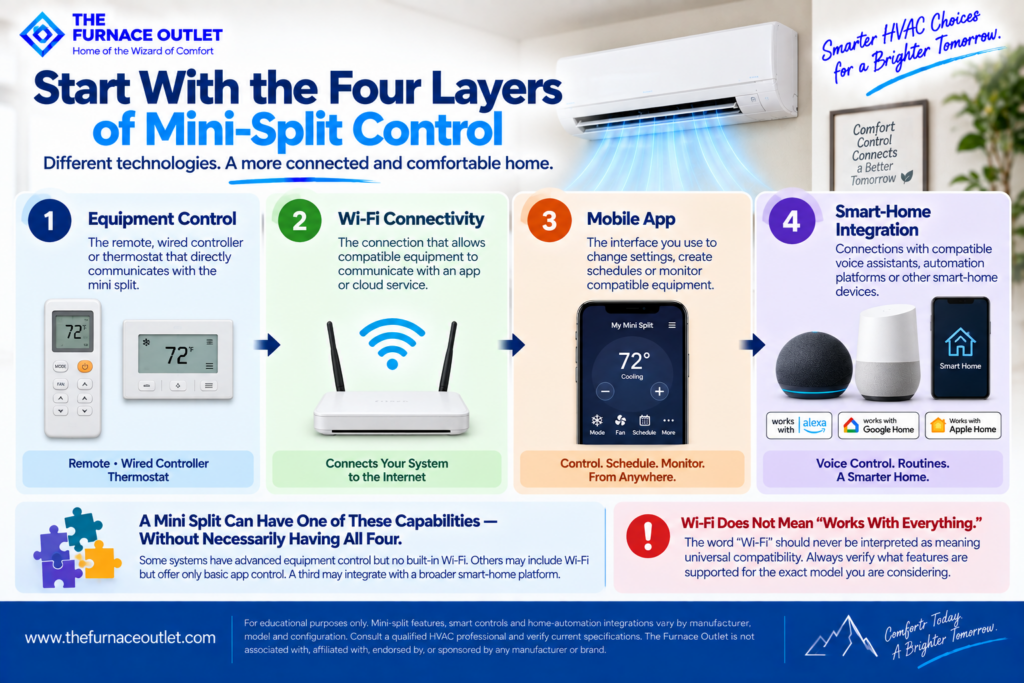
When people talk about “smart controls,” they are often combining several different technologies.
I find it easier to separate them into four layers:
A mini split can have one of these capabilities without necessarily having all four. For example, an indoor unit may have excellent inverter modulation and a sophisticated handheld controller but no built-in Wi-Fi. Another may include Wi-Fi but offer only basic app control. A third may integrate with a broader smart-home platform.
That is why the word “Wi-Fi” should never be interpreted as meaning “works with everything.”
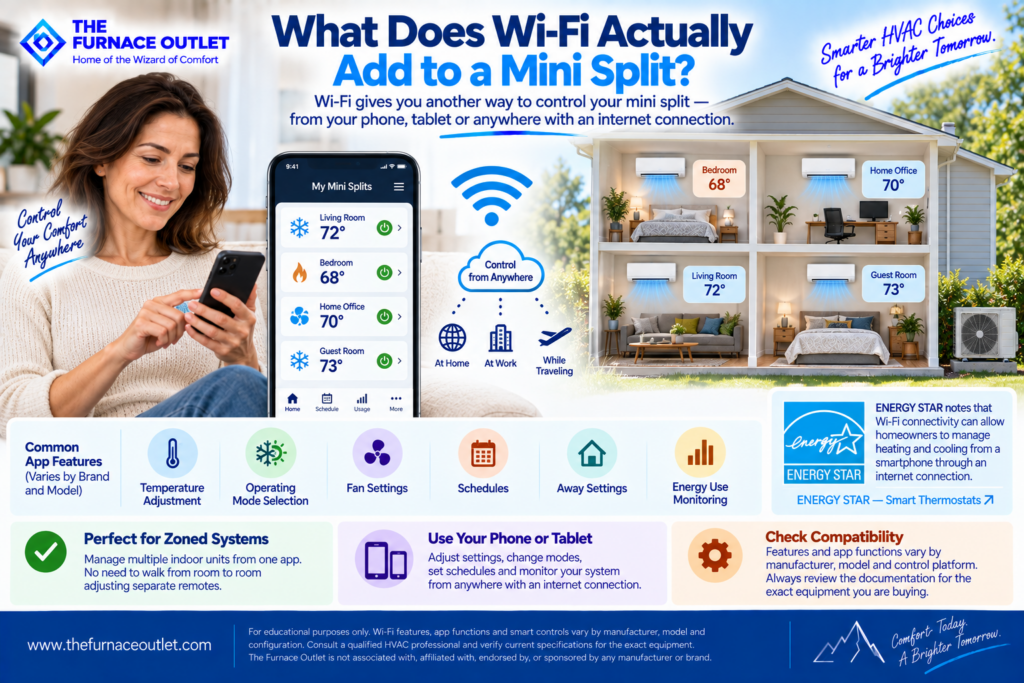
Wi-Fi primarily gives you another way to communicate with compatible equipment. Instead of standing in the room and reaching for the handheld remote, you may be able to open an app and adjust the system from your phone or tablet. Depending on the manufacturer, model and control platform, app functions may include temperature adjustment, operating-mode selection, fan settings, schedules, away settings and monitoring.
ENERGY STAR describes remote control as one of the common benefits of connected thermostats: Wi-Fi connectivity can allow homeowners to manage heating and cooling from a smartphone through an internet connection.
ENERGY STAR — Smart Thermostats
That can be particularly convenient with mini splits because ductless systems are frequently zoned. Imagine a home with four indoor units. Instead of walking from bedroom to bedroom adjusting separate remotes, a compatible manufacturer app may provide centralized access to multiple connected units. The exact capabilities vary, however, so check the documentation for the equipment you are actually buying.
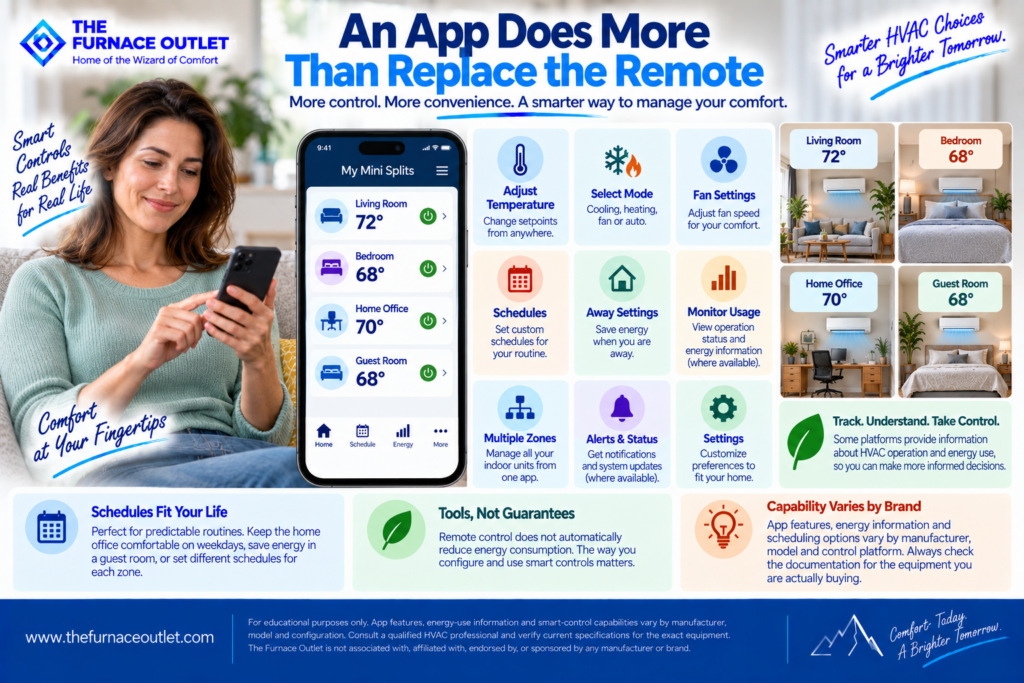
At its most basic, an app is a digital remote control. But the more useful systems go beyond that. Depending on the platform, homeowners may be able to establish schedules, monitor operating status, change setpoints remotely or organize several zones from one interface. Some smart thermostat platforms also provide information about HVAC operation and energy use. ENERGY STAR requires certified smart thermostats to provide certain HVAC-energy-use information and scheduling capability, although those requirements should not be assumed to apply to every mini-split manufacturer’s app.
Scheduling is particularly useful when a home’s occupancy follows predictable patterns. Perhaps the home office is occupied Monday through Friday but rarely used on weekends. Maybe a guest room needs conditioning only occasionally. Smart controls can make those routines easier to manage.
The important distinction is between capability and savings. Remote control does not automatically reduce energy consumption. A homeowner who constantly overrides efficient settings could use more energy rather than less. Smart controls provide tools; the way those tools are configured and used matters.
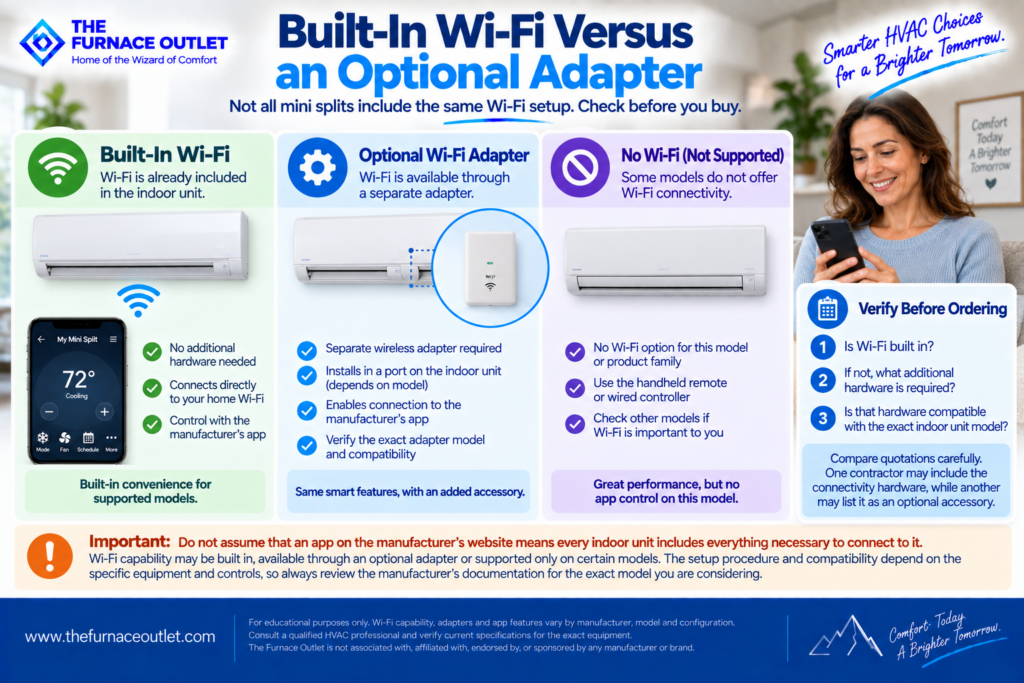
Do not assume that seeing an app on the manufacturer’s website means every indoor unit includes everything necessary to connect to it. Depending on the product family, Wi-Fi capability may be built into the equipment, available through an optional wireless adapter or supported only on certain models.
Daikin documentation, for example, shows compatible equipment connecting through a wireless LAN connection and its Daikin One Home application. The setup procedure and compatibility depend on the particular equipment and controls. That is why I would verify three things before ordering: Is Wi-Fi built in? If not, what additional hardware is required? Is that hardware compatible with the exact indoor unit model? This is especially important when comparing quotations. One contractor’s proposal may include the connectivity hardware while another may list it as an optional accessory.
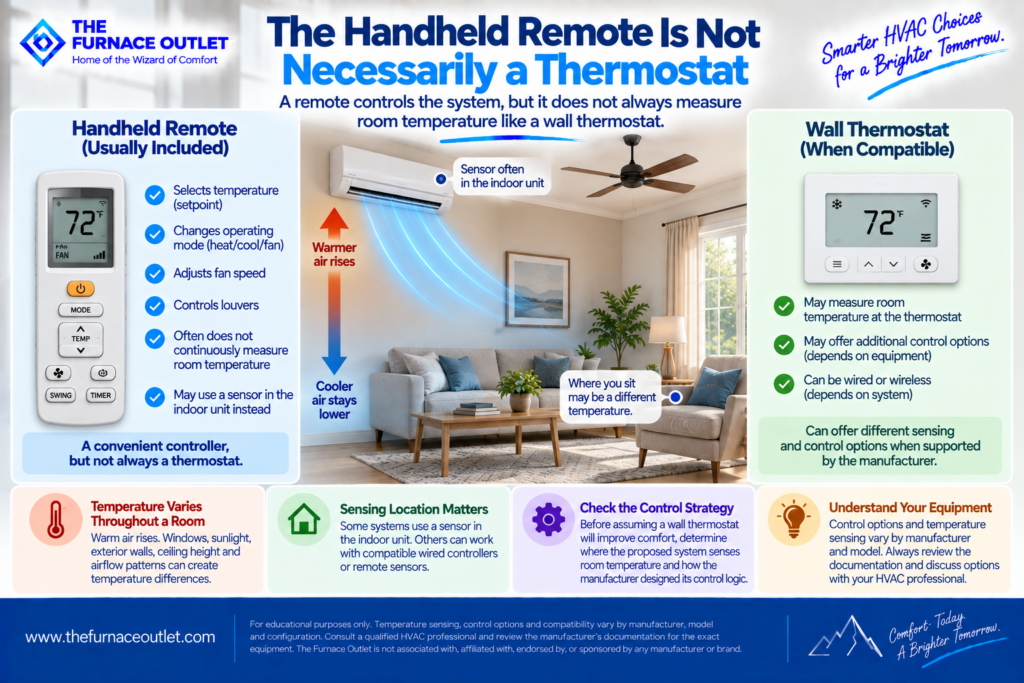
This distinction causes considerable confusion. Many wall-mounted mini splits are supplied with handheld wireless remotes. You use the remote to select a set temperature, fan setting and operating mode, but that does not necessarily mean the remote continuously measures room temperature and controls the system in exactly the same way as a conventional wall thermostat.
Temperature sensing and control logic vary by equipment. Some systems primarily use a sensor associated with the indoor unit. Others can work with compatible wired controllers or remote sensors that provide different control options.
Where the system senses temperature matters because temperatures are not uniform throughout a room. Warm air tends to rise. Exterior walls, windows, sunlight, ceiling height and airflow patterns can create differences between the temperature near the indoor unit and the temperature where occupants actually sit. Before assuming that a wall thermostat will improve comfort, determine where the proposed system senses room temperature and how the manufacturer designed its control strategy.
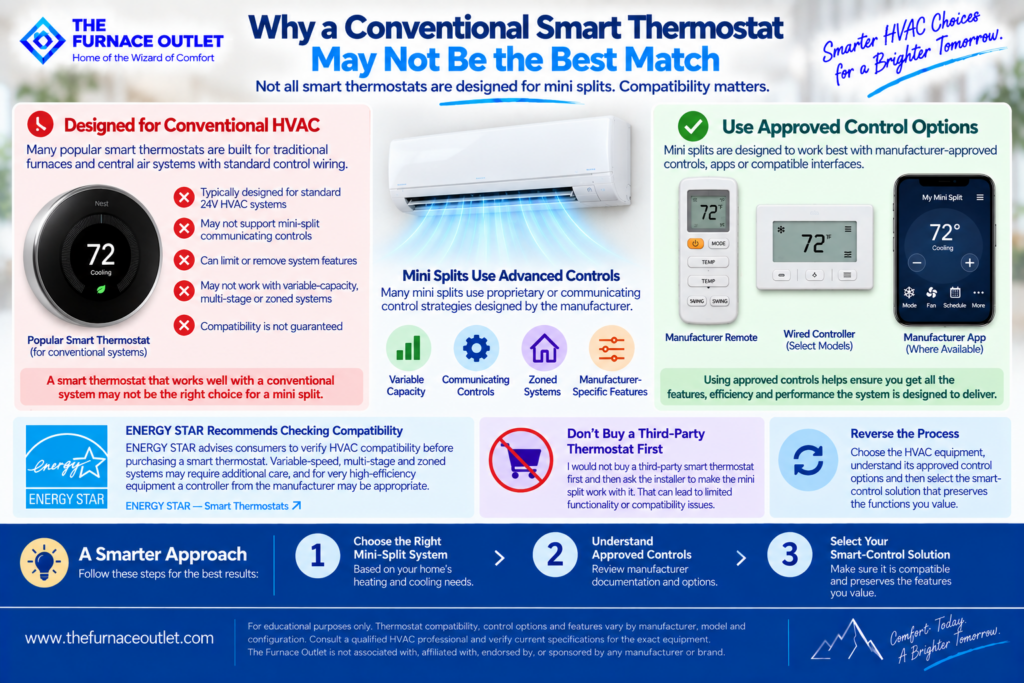
This is one of the most important parts of the discussion. Many popular smart thermostats were developed around conventional HVAC control architectures. Mini splits and other variable-capacity systems can use proprietary or communicating control strategies.
ENERGY STAR specifically tells consumers to verify HVAC compatibility before purchasing a smart thermostat. Its guidance notes that variable-speed, multi-stage and zoned systems may require additional care when selecting and installing controls, and for very high-efficiency equipment a controller from the equipment manufacturer may be appropriate.
So I would not buy a third-party smart thermostat first and then ask the installer to make the mini split work with it. Reverse the process. Choose the HVAC equipment, understand its approved control options and then select the smart-control solution that preserves the functions you value.
A traditional thermostat can be conceptually simple: call for heating, call for cooling, operate the fan and stop when appropriate. Modern inverter-driven mini splits can be much more sophisticated. The system may continuously adjust compressor output and indoor fan operation as conditions change. Compatible manufacturer controls can be designed specifically around those capabilities.
This does not mean a third-party thermostat can never control a mini split. Interfaces and adapters exist for some systems. But compatibility should be verified rather than assumed. Ask the contractor whether adding a particular thermostat or interface changes available features such as fan-speed control, operating modes, temperature sensing, scheduling or other manufacturer-specific functions. A thermostat that successfully makes the equipment turn on and off is not necessarily providing the same control experience as the manufacturer’s native controller.
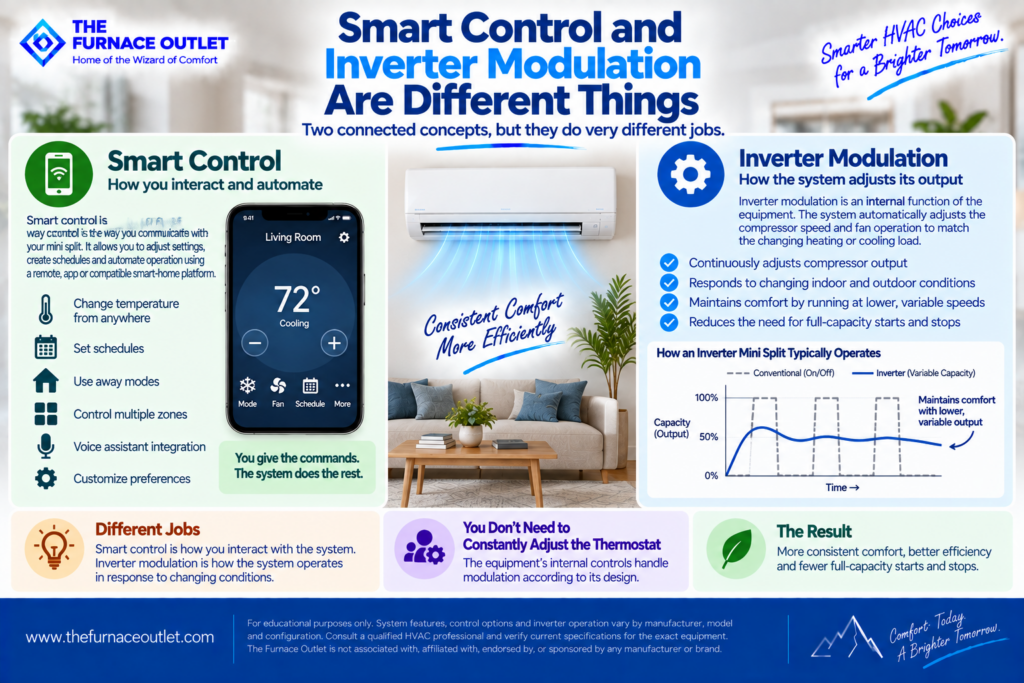
These two concepts are often confused. Smart control describes how you interact with the equipment or automate its operation. Inverter modulation describes how compatible HVAC equipment can adjust compressor operation to respond to changing loads. You do not need to constantly change the thermostat to make an inverter mini split modulate. The equipment’s internal controls handle modulation according to its design.
In fact, one of the advantages of variable-capacity operation is that the system can often maintain conditions by operating at reduced output rather than relying only on full-output starts and stops. The smartphone is not manually controlling compressor speed every few minutes. It is giving commands to the control system, which then operates the equipment according to its programming.
Smart controls make it tempting to micromanage the HVAC system. I usually think the more valuable feature is automation. A schedule can establish how you want particular spaces conditioned at different times without requiring repeated manual adjustments. ENERGY STAR identifies scheduling as a core smart-thermostat capability and notes that some products can learn preferences or use occupancy-related features to establish energy-saving settings.
With mini splits, however, I would avoid importing aggressive setback strategies from another type of HVAC system without considering the equipment, climate and house. A large temperature setback followed by a demand for rapid recovery is not automatically the most efficient strategy for every variable-capacity heat pump. Use manufacturer guidance and discuss appropriate scheduling with the installer, particularly in cold climates.
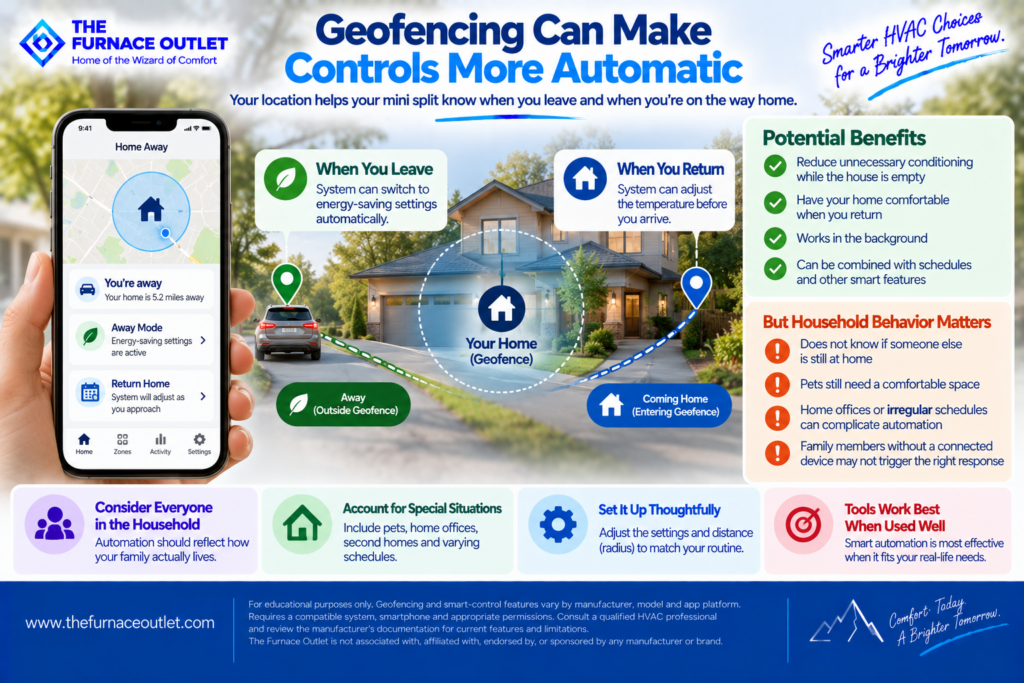
Some smart-control platforms offer geofencing. With appropriate permissions, the system can use the location of a connected smartphone to determine whether someone has left or is approaching home. ENERGY STAR lists geofencing among common smart-thermostat capabilities.
The idea is appealing: reduce unnecessary conditioning while the house is empty and prepare it for your return. But household behavior matters. If several people live in the house, an automation should not assume the house is empty merely because one person’s phone left the geofence. Pets, home offices, irregular work schedules and family members without connected devices can complicate presence-based automation.
Smart automation works best when it reflects how the household actually lives.
This is where connected control can become particularly useful. Suppose you have four indoor units serving a bedroom, office, living room and finished basement. Those spaces may have completely different schedules and comfort requirements.
A compatible multi-zone control platform may make it easier to see and manage those zones without juggling multiple handheld remotes. But do not confuse centralized access with centralized temperature control. Each indoor unit still serves its own zone according to the system’s design. The app simply gives the homeowner a convenient interface for compatible equipment.
Also verify exactly how many indoor units the platform can manage and whether all proposed indoor-unit types support the same functions.
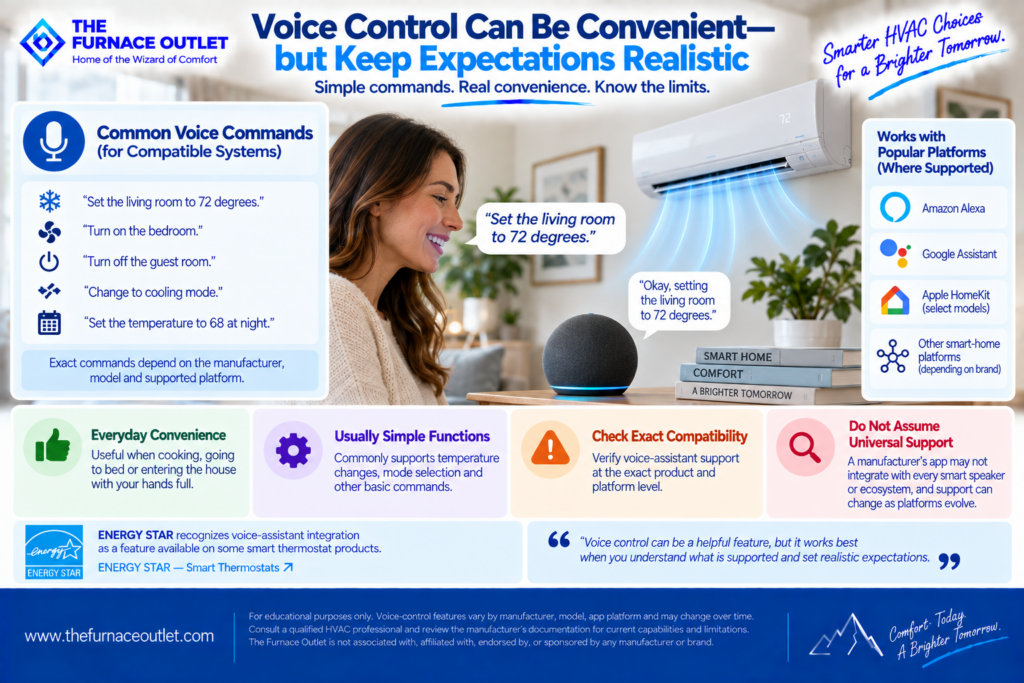
Voice-assistant integration sounds futuristic, but the most useful functions are often straightforward. Depending on the equipment and supported platform, you may be able to request a temperature change or perform another supported command without opening the app.
ENERGY STAR lists voice-assistant integration as a feature available on some smart thermostat products. That can be convenient when cooking, going to bed or entering the house with your hands full. But voice compatibility should be checked at the exact product and platform level.
Do not assume that because a manufacturer’s app works on your phone, it automatically integrates with every smart speaker or home-automation ecosystem. Supported integrations can also change as software platforms evolve.
The more interesting smart-home possibilities involve routines. A compatible home-automation platform may allow supported HVAC controls to participate in broader household routines. For example, a homeowner might want an “Away” routine involving several connected devices rather than adjusting each device individually.
However, HVAC deserves more caution than a smart light bulb. Avoid creating automations that repeatedly fight one another or cause unnecessary temperature changes. A schedule in the manufacturer’s HVAC app, a geofencing routine and a separate smart-home automation could potentially issue competing instructions if configured poorly.
I prefer to establish one clear control hierarchy: HVAC manufacturer controls first, then carefully layer compatible automation on top.
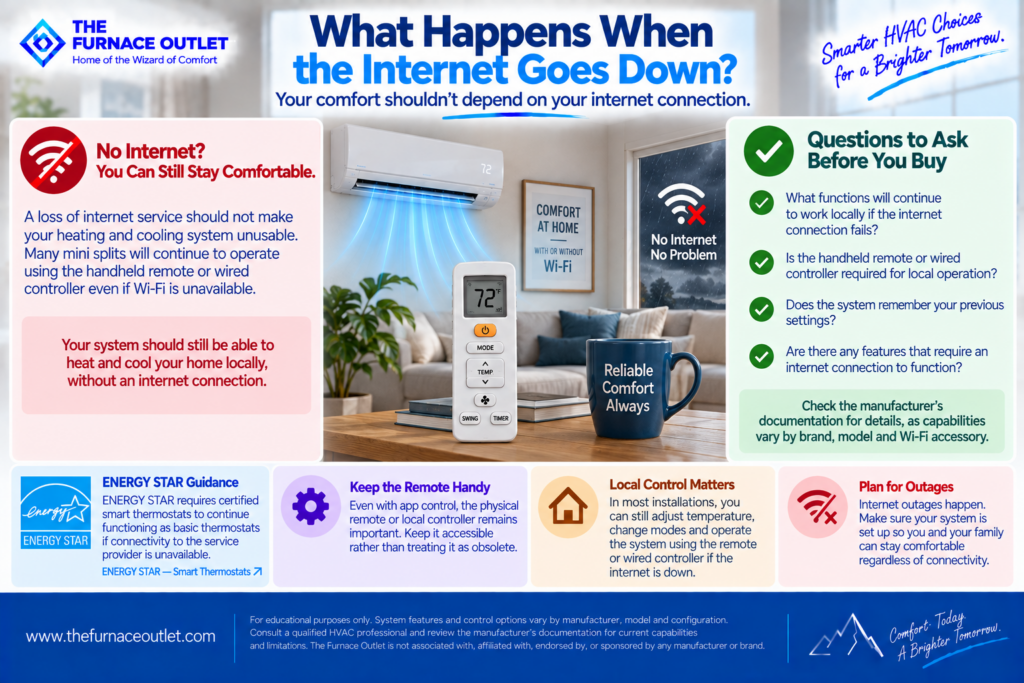
This is an excellent question to ask before purchasing connected controls. Your heating and cooling system should not become useless simply because your internet provider has an outage. ENERGY STAR’s criteria require certified smart thermostats to continue functioning as basic thermostats if connectivity to the service provider is unavailable.
That requirement does not automatically describe every mini-split Wi-Fi accessory, so check the manufacturer’s documentation. Ask what continues to work locally if the home’s internet connection fails. In many installations, the physical remote or local controller remains important even when app connectivity is available. I would keep it accessible rather than treating it as obsolete.
Sometimes the problem is not the HVAC system at all. It is the network. A mini-split indoor unit may be located far from the home’s router, on another floor or behind construction materials that weaken wireless signals. ENERGY STAR recommends considering the thermostat’s distance from the Wi-Fi router and notes that connectivity problems may occur when signal strength is poor.
Before blaming the app for frequent disconnections, evaluate the home’s wireless coverage. This is particularly important in large homes and detached spaces such as workshops, garages or additions.
A connected HVAC system is part of your home’s digital environment. Use a strong, unique password for the manufacturer’s account, enable additional account-security features when offered and keep the app and associated software updated.
Also understand what data the platform collects and how cloud services are used. ENERGY STAR acknowledges that connected products can present cybersecurity considerations and continues to follow developments in security standards. The goal is not to be afraid of connected HVAC. It is simply to treat HVAC accounts with the same care you would give other important smart-home services.
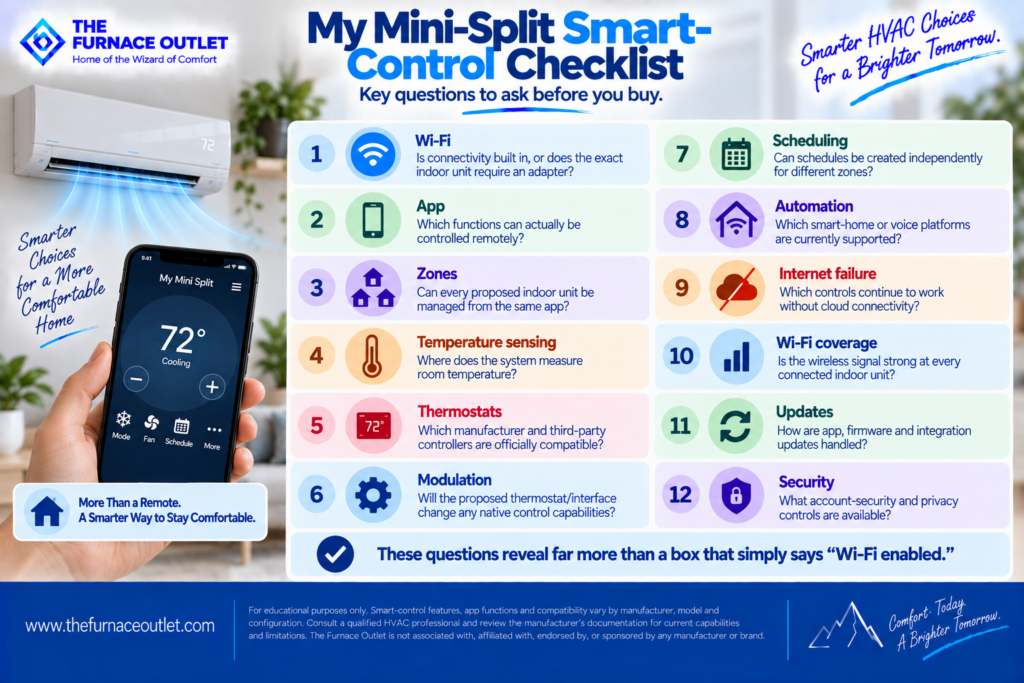
Before purchasing a mini split because it has impressive smart features, I would ask the contractor or manufacturer to confirm:
Those questions reveal far more than a box that simply says “Wi-Fi enabled.”
Smart mini-split controls can be genuinely useful. Remote access can prevent that familiar question—“Did I leave the air conditioner running?” Scheduling can simplify daily routines. Multi-zone apps can make several indoor units easier to manage, while compatible automation and voice control can integrate comfort into a broader smart-home system.
But connectivity should never come before HVAC compatibility. A sophisticated mini split is first and foremost a heating and cooling system. Its controls may be closely integrated with inverter operation, sensors, fan control and manufacturer-specific features. ENERGY STAR’s consumer guidance reinforces the importance of verifying thermostat compatibility, particularly with more sophisticated variable-speed and zoned equipment.
So my approach is straightforward: Choose the right mini split for the home’s heating and cooling requirements. Understand its native control architecture. Then add the Wi-Fi, app, thermostat and home-automation features that work properly with that equipment.
The smartest HVAC system is not necessarily the one connected to the greatest number of gadgets. It is the one that makes comfort easier to manage without compromising the way the equipment was designed to operate.
https://thefurnaceoutlet.com/best-mini-split-systems-of-2026-complete-brand-model-comparison/
This article is for educational purposes only. Mini-split controls, Wi-Fi hardware, mobile applications, thermostat compatibility, sensors and smart-home integrations vary by manufacturer, model, software version and equipment configuration. Features and third-party integrations can change over time. Verify current compatibility and specifications with the equipment manufacturer and consult a qualified HVAC professional before selecting or modifying controls.
The Furnace Outlet is not associated with, affiliated with, endorsed by or sponsored by any manufacturer, technology platform or brand referenced in our editorial content, and we do not receive manufacturer compensation for inclusion or rankings.